
TL;DR
Try It On AI is better suited to personal brand variety and creative profile refreshes, while HeadshotPro is stronger for structured business headshots and team consistency. Job seekers, founders, and creators should choose based on realism needs, style control, turnaround expectations, and how the final images will be used across LinkedIn, websites, pitch decks, and social content.
AI headshots now compete with studio sessions for everyday professional profiles, but Try It On AI vs HeadshotPro is not a one-size-fits-all choice. The better pick depends on whether the goal is corporate consistency, founder credibility, creator-style variety, or a quick LinkedIn refresh. After the headshot is selected, Looktara can help turn that image into branded posts, ads, and profile-ready visuals across channels.
AI headshot generator: a tool that uses uploaded selfies or portraits to create new professional-looking headshots with different clothing, lighting, backgrounds, and styles.
Key takeaway: HeadshotPro is the safer fit for polished business headshots at scale. Try It On AI is more appealing when personal brand variety matters more than uniform team output.
Table of Contents
What is the difference between Try It On AI and HeadshotPro?
Try It On AI focuses on AI-generated personal portraits with broader style flexibility, while HeadshotPro is positioned around professional business headshots for individuals and teams. HeadshotPro's public SERP messaging highlights studio-style business output and a large volume claim of 17,943,292 AI headshots created for 196,987 customers, based on competitor research data.
HeadshotPro appears more tightly framed around business identity: LinkedIn, resumes, company directories, sales pages, and founder bios. Try It On AI is usually considered more flexible for people who want multiple looks for profile photos, creator branding, or social media presence.
SourceForge lists separate product profiles for HeadshotPro and Try it on AI, and its comparison-style SERP result reflects a common buyer need: quick side-by-side evaluation before uploading personal photos.
Fast comparison table for 2026 buyers
| Category | Try It On AI | HeadshotPro | Better fit |
|---|---|---|---|
| Main use case | Personal portraits and brand variety | Professional business headshots | Depends on use |
| Output style | Broader creative range | More corporate and standardized | HeadshotPro for business |
| Team use | More individual-oriented | Stronger team positioning | HeadshotPro |
| Style control | Useful for varied looks | Useful for professional uniformity | Tie, based on goal |
| Best audience | Creators, freelancers, dating app users | Job seekers, teams, founders | Role-specific |
| Buying risk | Style may vary by upload quality | Results may feel too formal for creators | Depends on brand tone |
This comparison matters because a headshot rarely stays in one place. A founder may need the same image for a website hero, investor deck, and LinkedIn post. A creator may need variations for thumbnails, stories, and promotional graphics.
How Looktara fits after headshot generation
The headshot tool creates the portrait, but brand presentation still needs layout, copy space, and channel-specific formatting. The Looktara platform is relevant after either tool produces a usable image because it helps convert a profile photo into assets such as LinkedIn post creatives for fitness and Shopify brands, pitch deck slide visuals, and campaign graphics.
For professionals building a stronger visual identity, looktara.com works best as the design layer after the headshot decision, not as a direct replacement for the headshot generator.
Which tool produces more realistic professional headshots?
HeadshotPro is generally the stronger choice for realistic corporate headshots, while Try It On AI is stronger when realistic output still needs personality, variety, and a less formal tone. Realism depends heavily on input photo quality, facial consistency, lighting, and whether the selected style matches the person's real appearance.
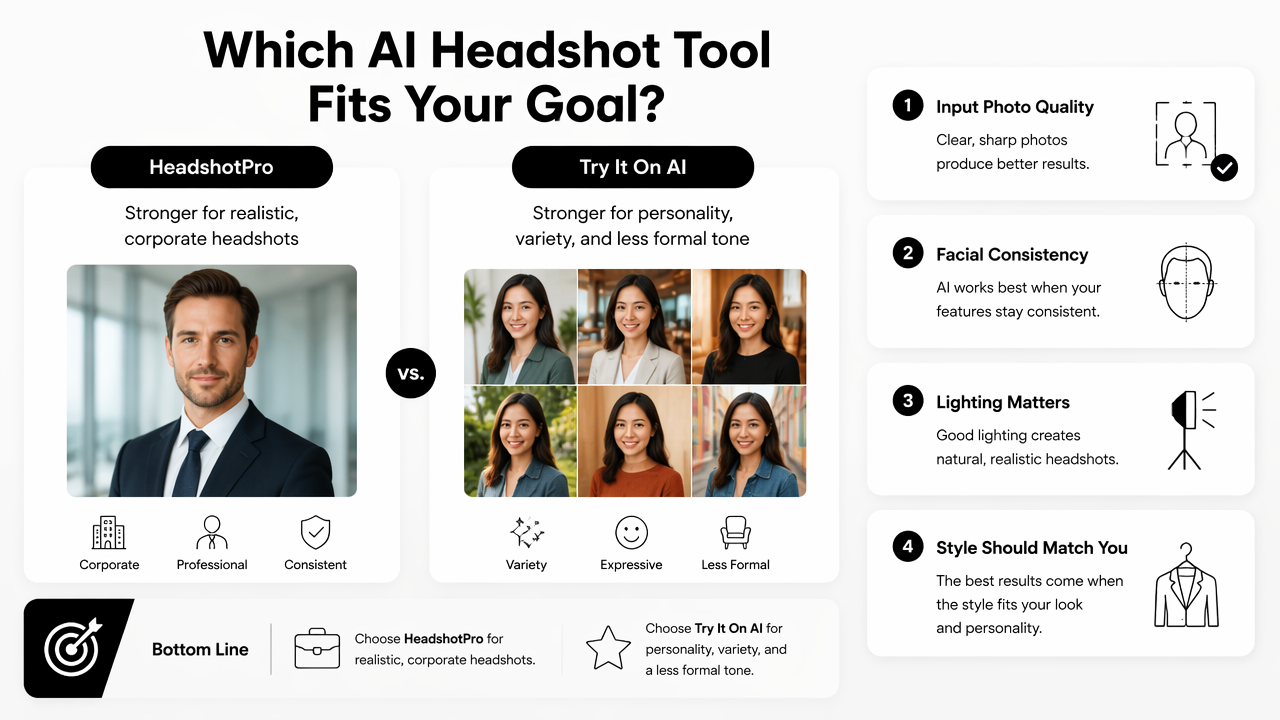
A realistic AI headshot should preserve identity first and improve presentation second. Over-smoothed skin, mismatched eye color, warped glasses, strange hands, and inconsistent jawlines are warning signs that a headshot may damage trust instead of building it.
Best realism test: The strongest AI headshot should look like a better-lit version of the same person, not a different person with a similar face.
Realism checklist before publishing
- Facial match: the person should be instantly recognizable to colleagues or clients.
- Skin texture: natural texture usually looks more credible than plastic-smooth editing.
- Eyes and teeth: small distortions in these areas are easy to notice.
- Clothing logic: collars, lapels, buttons, and necklines should align naturally.
- Background fit: a boardroom, office, or neutral studio background should match the intended role.
- Platform crop: LinkedIn, Gmail, Zoom, and company bios crop faces differently.
HeadshotPro's more business-focused positioning helps reduce style drift for users who want conservative results. Try It On AI may be more attractive when a profile needs warmth, variety, or a creator-friendly look rather than a strict corporate portrait.
Photo requirements and upload quality
Both tools depend on input images, so strong source photos matter more than small feature differences. The best uploads usually include several clear images with different angles, clean lighting, no heavy filters, and an unobstructed face.
A weak upload set can produce weak outputs across any AI headshot generator. Sunglasses, hats, low-resolution crops, group photos, and extreme expressions often reduce identity accuracy. Business users should also avoid uploading only old photos if the final headshot must support current hiring, sales, or press activity.
How do style control, experience, and pricing compare?
Try It On AI gives more room for varied personal-brand styles, while HeadshotPro offers a clearer path for business-ready selections. Pricing should be checked at the live checkout page for each product because AI image tools often change package sizes, turnaround options, image counts, and commercial-use terms.
The user experience question is simple: HeadshotPro feels built for people who want professional headshots with fewer creative decisions, while Try It On AI fits people who enjoy selecting from broader visual directions. Neither approach is automatically better; the winner depends on the cost of inconsistency.
For a hiring profile or company team page, consistency has value. For creator profiles, dating apps, and social branding, variety may carry more value than strict uniformity.
Decision factors that affect total value
- Image count: more outputs increase the chance of finding one natural result.
- Turnaround time: faster delivery matters for launches, interviews, and press requests.
- Revision options: reruns can be useful when early outputs miss facial details.
- Commercial rights: business use should be clear before publishing on ads or company pages.
- Team controls: organizations need consistent backgrounds, outfits, and framing.
- Download quality: high-resolution exports matter for websites and speaker profiles.
Pricing should not be judged only by the cheapest package. A slightly higher-priced tool may offer better value if it produces publishable images faster and reduces manual editing.
Best use cases by audience
| Audience | Best choice | Reason |
|---|---|---|
| Job seekers | HeadshotPro | Formal, polished LinkedIn and resume use |
| Founders | HeadshotPro | Consistent executive presence for bios and press |
| Small teams | HeadshotPro | Easier standardization across staff profiles |
| Creators | Try It On AI | More variety for personal brand looks |
| Freelancers | Tie | Depends on whether the brand is corporate or creative |
| Dating app users | Try It On AI | Softer, more personal image options |
A finished headshot can also support branded visual assets. For example, founders can pair a polished portrait with a website hero graphic generator, while creators can adapt headshots into YouTube thumbnail concepts when a face-led creative style makes sense.
Who should pick which AI headshot tool?
HeadshotPro is the better pick for business credibility and team consistency, while Try It On AI is the better pick for flexible personal branding. The right decision starts with the final placement: LinkedIn recruiter search, company website, founder pitch, creator profile, dating app, or social campaign.
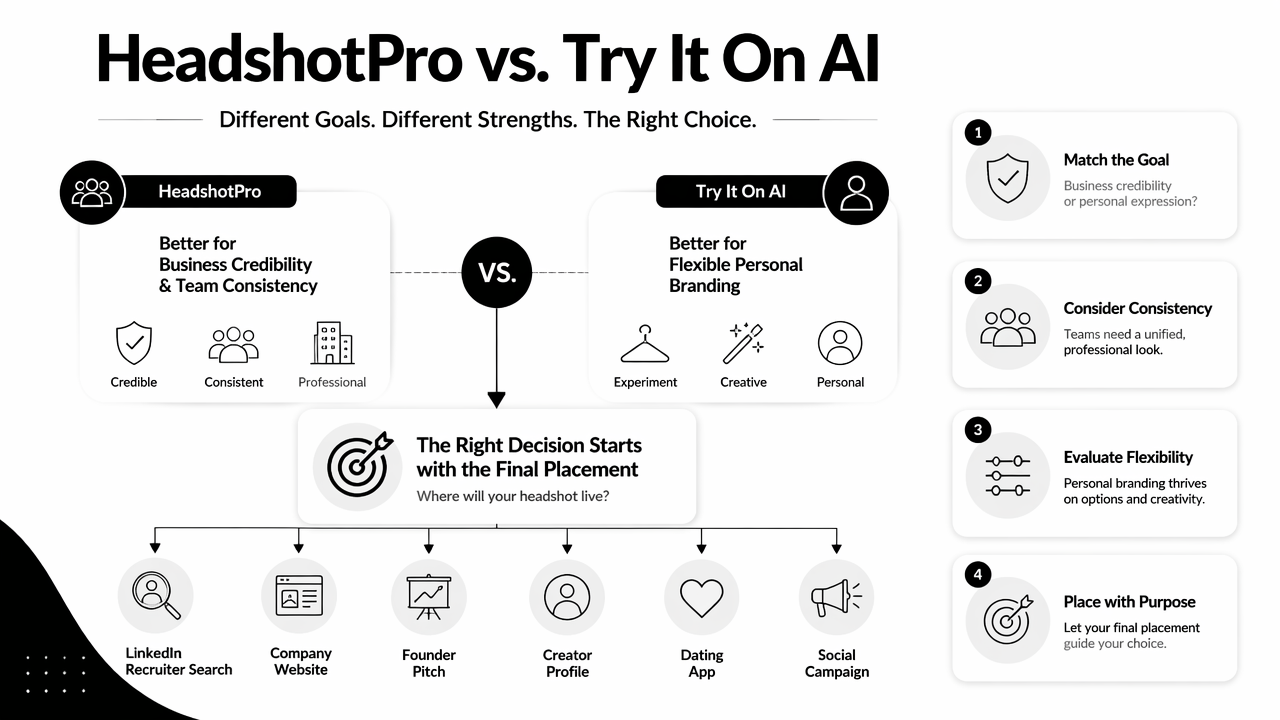
A professional headshot is not just a nice photo. It is a trust signal. The wrong style can make a serious candidate look casual, or make a creator look too corporate for the audience.
Recommendation block by user type
- Job seekers: choose HeadshotPro when the headshot must work for LinkedIn, resumes, job boards, and recruiter outreach.
- Founders: choose HeadshotPro when investor trust, press kits, and team pages need a consistent executive tone.
- Teams: choose HeadshotPro when matching backgrounds, outfits, and crops are more important than personal variety.
- Creators: choose Try It On AI when personality, wardrobe variety, and social-first styling matter most.
- Freelancers: compare both if the business serves both corporate clients and lifestyle-driven audiences.
After a final headshot is selected, Looktara can help extend it into campaign assets, including Instagram Story designs and Facebook ad visuals. This is useful when one portrait needs to support a launch, offer, course, or personal brand campaign.
Common mistakes when choosing
The biggest mistake is choosing the tool before choosing the use case. A dating-app-style image should not anchor a law firm bio, and a formal boardroom portrait may feel stiff on a creator channel.
Another mistake is publishing too many AI variations across platforms. If LinkedIn, a company site, and a sales deck all show noticeably different faces, trust can fall. One primary headshot and a small set of matching variants usually performs better than a large set of unrelated images.
FAQ about Try It On AI vs HeadshotPro
These common questions help narrow the decision when the main tradeoff is corporate consistency versus personal-brand flexibility.
Is HeadshotPro better than Try It On AI for LinkedIn?
HeadshotPro is usually the better fit for LinkedIn when the goal is a polished professional profile, recruiter credibility, or a consistent corporate image. Its business-headshot positioning makes it safer for traditional roles. Try It On AI can still work for LinkedIn when the profile belongs to a creator, freelancer, coach, or personality-led founder.
Is Try It On AI better for creators and influencers?
Try It On AI is often better for creators because style variety matters more in social contexts. Creators may need profile photos that feel warm, expressive, and adaptable across platforms. HeadshotPro can look excellent, but its more formal business framing may feel too polished for casual creator branding.
Can AI headshots replace a professional photographer?
AI headshots can replace a studio session for many routine uses, including LinkedIn, resumes, internal directories, and simple founder bios. A professional photographer is still better for high-stakes editorial shoots, full brand campaigns, complex lighting, group sessions, and situations where exact authenticity is required.
What should happen after choosing a headshot?
The final image should be cropped, tested on target platforms, and used consistently across high-trust channels. Professionals can then build supporting visuals for posts, decks, ads, and landing pages. For that next design step, visit looktara.com and turn the selected portrait into channel-ready brand assets.
Conclusion
Try It On AI vs HeadshotPro comes down to the job the image must do. HeadshotPro is the practical choice for job seekers, founders, and teams that need polished business headshots. Try It On AI is the better fit for creators, freelancers, and dating-app users who want more personality and visual range.
The next step is simple: define the primary placement, gather clear source photos, test the most realistic outputs with a small trusted group, then standardize the winning image across profiles. After that, use Looktara to build supporting visuals so the headshot works harder across LinkedIn, websites, ads, stories, and launch materials.
Generated by EarlySEO.com