
TL;DR
AI headshots can work well on LinkedIn when the image looks current, realistic, and consistent with real-life appearance. They become risky when facial features, age, body shape, or professional context are exaggerated, so the safest choice is a restrained, authentic portrait that matches the person behind the profile.
A LinkedIn photo often shapes a first impression before a recruiter, client, or investor reads a single word. The question is not only should you use an AI headshot on LinkedIn, but whether the final image builds trust in the exact professional setting where it appears. Headshot: a headshot is a photographic portrait focused on a person's face, commonly used for professional profiles, social media, dating profiles, and personal branding. For career profiles, the strongest AI image should look like a polished version of the real person, not a fictional executive. Tools such as Looktara can help create professional resume and LinkedIn-style imagery when the input photos are accurate, recent, and chosen with care.
Table of Contents
Should you use an AI headshot on LinkedIn?
An AI headshot is a good LinkedIn choice when it is realistic, current, and clearly represents the same person who would appear in an interview, client call, or networking meeting. It is a poor choice when it changes identity cues, creates a synthetic-looking face, or makes the profile feel less trustworthy.
Key insight: The safest LinkedIn headshot is not the most glamorous image; it is the most believable professional image.
Research on synthetic faces explains why caution matters. A 2023 Journal of Cybersecurity paper, Testing human ability to detect deepfake images of human faces, examined human detection of deepfake face images. A 2022 iScience study, On the realness of people who do not exist, studied social processing of artificial faces. Both topics point to the same practical issue: people may notice something feels off even when they cannot explain why.
For LinkedIn, that small feeling can matter. A profile photo sits next to a name, work history, company logo, and outreach message. If the photo looks too airbrushed or inconsistent with other public images, trust can drop before the professional story begins.
Quick answer by use case
| Profile goal | AI headshot fit | Best approach |
|---|---|---|
| Active job search | Strong fit | Use a realistic business portrait that matches interview appearance |
| Founder profile | Strong fit | Match the company tone, from polished to approachable |
| Freelancer profile | Strong fit | Show personality while keeping the face accurate |
| Creator profile | Mixed fit | Keep the style consistent with the content brand |
| Regulated or trust-heavy role | Cautious fit | Prefer realism over stylized polish |
Job seekers, consultants, and small business owners often benefit most because a polished photo can remove friction quickly. Dating app users and creators may also use AI portraits, but LinkedIn needs a more conservative standard than Instagram, TikTok, or dating platforms.
When AI LinkedIn headshots help
AI LinkedIn headshots help when cost, timing, location, or brand consistency makes a studio session difficult. A strong AI portrait can update an outdated profile, support a job search, and create a clean professional presence across LinkedIn, resumes, and business pages.
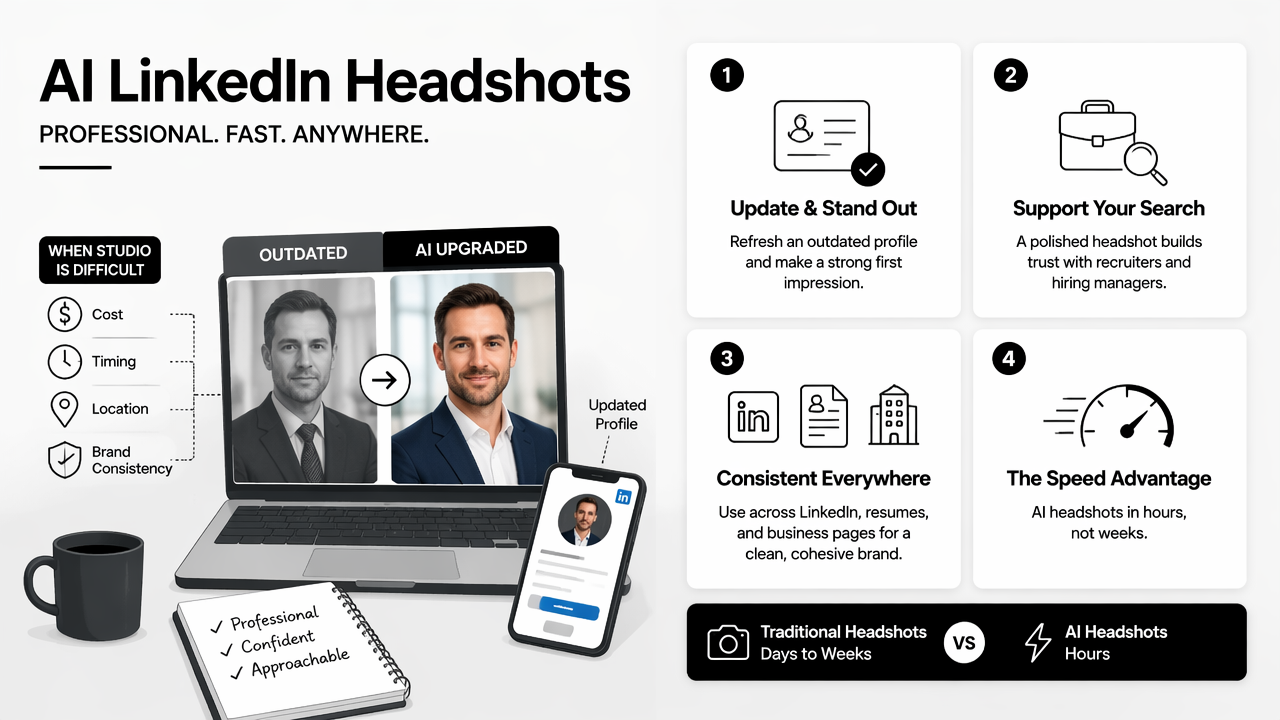
The main advantage is speed. Traditional headshots require scheduling, travel, wardrobe planning, editing time, and sometimes a second session. AI tools can produce several looks from existing photos, which helps professionals compare backgrounds, outfits, and expressions before choosing one image.
A second advantage is consistency. Founders, freelancers, remote workers, and creators often need matching visuals across LinkedIn, a portfolio site, a newsletter bio, and sales pages. Looktara fits this need especially well when a professional wants profile imagery plus related brand assets in one visual style.
Best-fit scenarios for AI headshots
- Outdated profile photo: the current image no longer matches hairstyle, age, glasses, or work style.
- Remote work profile: the person lacks access to a local studio or needs a fast update before interviews.
- Founder branding: the headshot must match a website, pitch deck, or media kit.
- Freelance sales: the image needs to look confident without feeling stiff.
- Content creator presence: the LinkedIn photo should connect with visual assets used on other platforms.
For a broader professional profile refresh, a headshot can pair with branded post graphics from a LinkedIn and Instagram post generator. Entrepreneurs who need a more complete web presence can also match the portrait style with a website hero image generator.
Decision table for professionals
| Audience | Use AI headshot? | Why it can work | Watch for |
|---|---|---|---|
| Job seeker | Yes | Fast profile upgrade before applications | Overly formal image that does not match interview presence |
| Founder | Yes | Stronger personal brand across LinkedIn and company pages | Photo that feels more corporate than the company |
| Freelancer | Yes | Clearer trust signal for inbound leads | Image that looks generic or stock-like |
| Creator | Sometimes | Visual consistency across platforms | Style that feels too polished for the audience |
The best results usually come from choosing the least dramatic image from the output set. A modestly improved portrait often performs better than a flawless image that looks detached from reality.
When AI headshots can hurt trust
AI headshots can hurt trust when they create a mismatch between the LinkedIn image and the real person behind the profile. The risk increases when the image changes age, skin texture, facial structure, body shape, hairline, clothing status, or the implied work environment.
LinkedIn is different from a personal mood board. Recruiters may compare the profile photo with video interviews, company pages, conference photos, or public posts. Clients may do the same before booking a call. Any large mismatch can make a profile feel edited for status rather than presented for clarity.
Several 2025 news and discussion results around this topic also raised platform-policy and authenticity concerns. Even where AI portraits are allowed, the professional risk remains practical: a profile photo should not create surprise when the person appears on a call.
Red flags that make a headshot feel fake
- Plastic skin: no pores, no natural lines, and no texture around the eyes.
- Uneven details: mismatched earrings, warped glasses, strange collars, or distorted teeth.
- Identity drift: jawline, face shape, hair, or age looks noticeably different.
- Overstatus styling: luxury office, executive suit, or background that does not match the role.
- Unnatural lighting: eyes, skin, and background appear lit from different directions.
Trust rule: A LinkedIn headshot should reduce uncertainty, not create a second identity.
A good review process includes checking the image at thumbnail size and full size. LinkedIn often displays photos small, but recruiters and clients can still open the image, compare it with posts, and notice inconsistencies.
Common misconceptions about AI profile photos
| Misconception | Better view |
|---|---|
| AI always looks fake | Some outputs are realistic when source photos are strong |
| A more polished image is always better | Over-polish can reduce trust in professional settings |
| LinkedIn photos should look like studio portraits | Many roles benefit from approachable, natural portraits |
| Nobody checks profile photos closely | Recruiters, clients, and investors often compare public signals |
A useful test is simple: if a hiring manager would be surprised during a video interview, the photo is too far from reality.
How to choose a realistic AI headshot
A realistic AI headshot should be selected through a strict accuracy check, not by choosing the most flattering result. The best workflow is to start with recent source photos, reject identity changes, compare the image with real appearance, and test whether the final portrait fits the role.
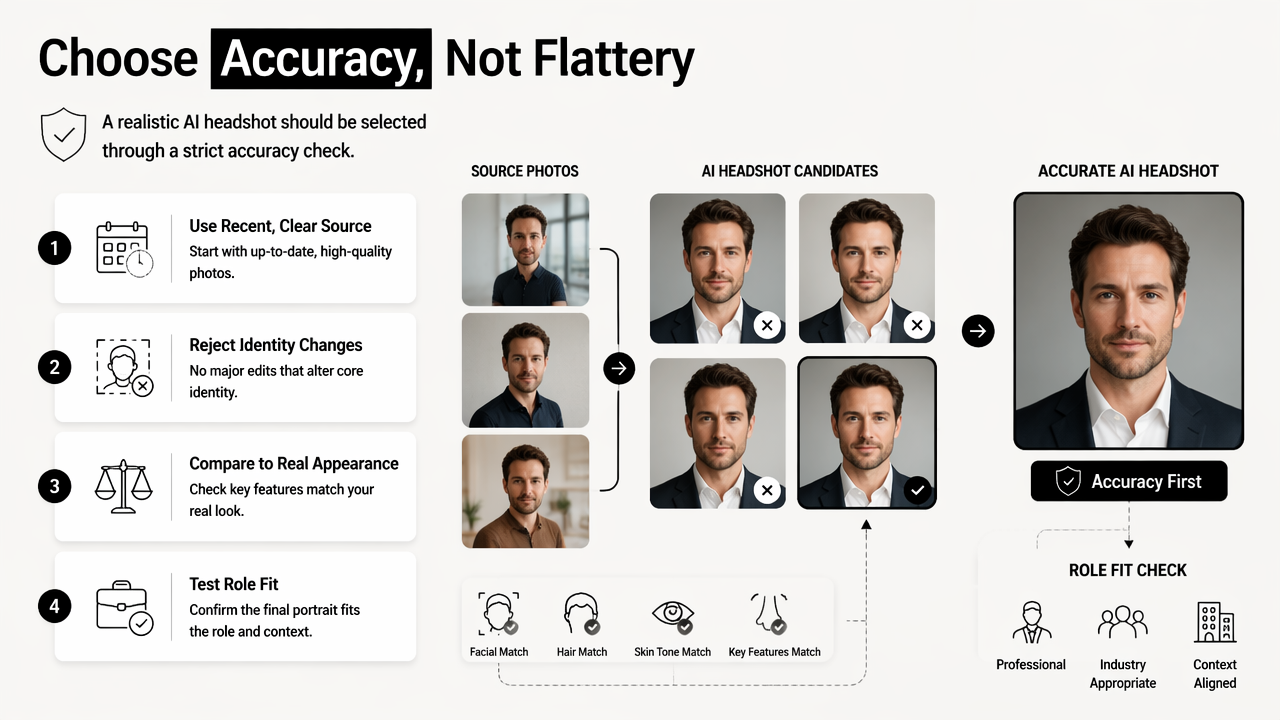
- Use recent, clear source photos with the same hairstyle, glasses, and facial hair.
- Choose clothing that fits the target role rather than an aspirational fantasy.
- Reject images with distorted hands, collars, teeth, jewelry, or glasses.
- Compare the result with a current candid photo.
- Ask whether the image would feel honest on a video call.
- Crop for LinkedIn so the face remains clear in a small circle.
- Keep the background simple, clean, and role-appropriate.
Professionals using the Looktara platform should treat the final selection like editing a resume: accurate first, polished second. A strong portrait can support credibility, but it should never carry claims that the profile, experience, and portfolio cannot support.
LinkedIn-ready quality checklist
| Check | Pass standard |
|---|---|
| Face accuracy | Looks like the same person in current meetings |
| Expression | Friendly, calm, and confident |
| Wardrobe | Matches the target industry and seniority |
| Background | Clean, low-distraction, and believable |
| Technical quality | Sharp eyes, natural skin, correct proportions |
| Brand fit | Aligns with posts, resume, website, and portfolio |
Creators and solo professionals can extend the same visual system beyond LinkedIn. For example, a fitness creator might pair a professional headshot with a TikTok banner generator, while a consultant building social proof could use an Instagram icon generator.
FAQ: AI headshots for LinkedIn
AI headshots for LinkedIn are safest when treated as professional photo editing support, not as identity replacement. The final image should be believable, current, and consistent with the person's role, public presence, and real-world appearance.
Is an AI headshot acceptable for a job application?
An AI headshot can be acceptable for a job application when it accurately represents the applicant and looks natural on LinkedIn. The image should match the person who appears in interviews. Conservative industries may require extra caution, so a realistic business portrait usually works better than a dramatic studio-style image.
Should an AI LinkedIn photo be disclosed?
Disclosure is not usually expected for a normal profile photo, but the image should not mislead. If the photo significantly changes identity, age, appearance, or professional context, disclosure will not fix the trust problem. Accuracy matters more than labeling in most hiring and networking situations.
What makes an AI headshot look professional instead of fake?
A professional AI headshot has natural skin texture, consistent lighting, accurate facial features, and clothing that fits the person's actual work context. Small imperfections can help the image feel real. Overly smooth skin, dramatic backgrounds, and luxury styling often make a LinkedIn portrait feel artificial.
Can the same AI headshot work across LinkedIn and social media?
The same headshot can work across LinkedIn and social media when the personal brand is consistent. LinkedIn usually needs the most restrained version. Other platforms can use more expressive crops or graphics, such as content covers made with an Instagram ebook cover generator.
Conclusion
The answer to should you use an AI headshot on LinkedIn is yes when realism, accuracy, and role fit guide the decision. It is no when the image changes identity, exaggerates status, or creates a mismatch that could weaken trust during recruiting, sales, or networking.
A practical next step is to gather several recent photos, create a restrained set of professional options, and choose the image that looks most credible at LinkedIn thumbnail size. With Looktara, professionals can build a polished headshot and then keep related profile visuals consistent across other channels. For a simple profile refresh, visit looktara.com and start with the most realistic version, not the most dramatic one.
Generated by EarlySEO.com