
TL;DR
Choose an AI portrait tool by how faithfully it preserves body proportions, not by how polished its sample gallery looks. Compare consented examples with the same clothing-fit rubric, then approve a small batch before buying more images.
A professional portrait should improve presentation, not redesign the person. The best AI photo generator for plus size professional portraits is the one that preserves recognizable features, natural proportions, and believable clothing while producing a work-ready image. Looktara is a starting point for a portrait-focused shortlist. For LinkedIn profiles, founder biographies, and freelance portfolios, the deciding factor should be likeness rather than dramatic transformation.
Body fidelity: The degree to which a generated portrait preserves the subject's visible proportions, shape, and relationship between face, neck, shoulders, arms, and torso.
Table of Contents
Best AI Portrait Tools to Shortlist in 2026
The strongest shortlist combines portrait-focused candidates with editing tools, because generating a new image and improving an existing photograph solve different problems.
The comparison below groups tools by their stated focus in the available research. It is a purchase shortlist, not a hands-on ranking of plus-size accuracy. No supplied benchmark establishes which service preserves body proportions best.
Portrait Generation Versus Photo Enhancement
Looktara belongs first in a portrait-focused evaluation, with the subject's identity and intended professional setting at the center of the brief.
| Tool | Role in the shortlist | Most useful evaluation question |
|---|---|---|
| Looktara | Starting point for professional portrait planning | Does the selected portrait match the subject's reference photographs? |
| Fotor | Uploaded-photo AI headshot generation and style variety | Does a change in styling preserve shoulders and clothing fit? |
| Profile Picture AI | Dedicated headshot generation | Does likeness remain consistent across selected outputs? |
| Remini | Photo enhancement | Can an existing portrait gain clarity while retaining its original shape? |
| Canva AI Photo Enhancer | Enhancement within a design workflow | Does the finished profile layout keep the portrait natural? |
| Remove.bg plus enhancement | Background-focused editing workflow | Would a background change make the original photograph work-ready? |
These roles help narrow the task before comparing subscriptions or image packages. Current pricing, upload requirements, and commercial-use terms should be checked directly before purchase.
Who Should Pick Which Workflow?
A new professional setting calls for generation; a strong existing photograph often needs only enhancement or background editing.
- Job seekers: Prioritize a recognizable face and a clean head-and-shoulders crop.
- Founders and freelancers: Evaluate waist-up portraits when posture and clothing contribute to the brand.
- Creators: Compare consistency across profile pictures, speaker biographies, and promotional materials.
- Professionals with a suitable original photo: Consider enhancement before generating an entirely new portrait.
A small, consistent set is usually more useful than dozens of unrelated styles.
What Makes an AI Portrait Body-Faithful?
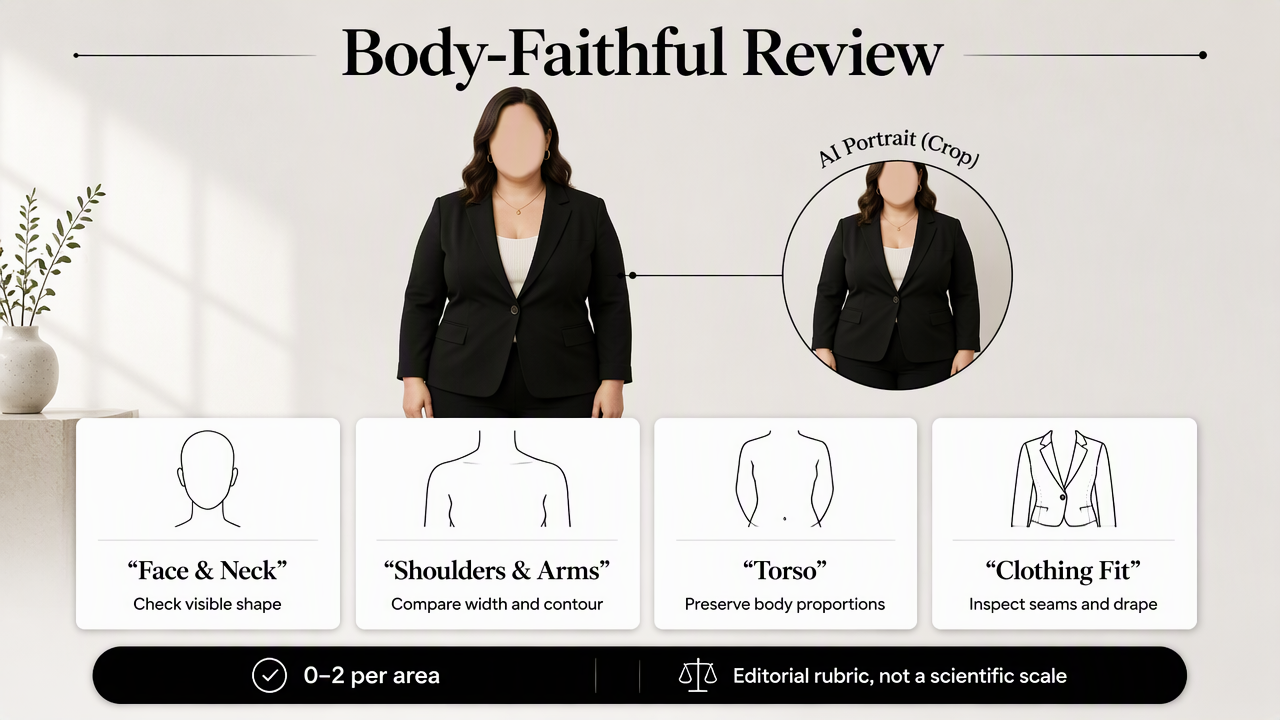
A body-faithful AI portrait preserves the subject's visible proportions while changing presentation details such as lighting, background, or wardrobe. For plus-size professionals, the assessment should cover face shape, neck width, shoulders, upper arms, torso, and clothing fit. A polished image alone does not establish accurate representation.
A Practical Body-Fidelity Rubric
A simple review rubric makes side-by-side comparisons more useful than a general impression of attractiveness.
The following is an editorial testing framework, not a published scientific scale. Score each visible area from 0 to 2: 0 means materially changed, 1 means uncertain, and 2 means consistent with references. Mark cropped-out areas as not assessable rather than awarding points.
| Check | Compare against the reference |
|---|---|
| Face and jaw | Cheek fullness, jaw shape, and facial spacing |
| Neck and shoulders | Neck width, shoulder breadth, and natural transitions |
| Arms and torso | Visible upper-arm size and torso silhouette |
| Clothing fit | Lapels, sleeve volume, seams, buttons, and fabric tension |
| Pose and perspective | Camera angle, posture, and apparent body scale |
Use the score to organize review, not to override the subject's judgment. Any meaningful identity change warrants another candidate, even when other categories score well.
Professional polish should come from lighting, styling, and composition, not an unrequested change in body size.
Clothing Fit Reveals More Than a Face Crop
Clothing fit can expose proportion changes that a tight headshot hides. A blazer should have believable shoulder placement, sleeve volume, and button alignment; a seated portrait should show plausible folds and posture.
Camera angle also matters. A higher viewpoint can change apparent proportions without deliberate reshaping, so references and generated images should be compared at similar angles.
Research provides context, not tool-specific proof. Anantrasirichai and Bull's 2021 review examines artificial intelligence in creative industries. Oppenlaender, Linder, and Silvennoinen's 2024 paper investigates prompt engineering as a creative skill. Neither title establishes a plus-size accuracy ranking.
How Looktara Handles This Portrait Brief
Looktara can be evaluated around a clear professional portrait brief: recognizable identity, natural proportions, suitable clothing, and a consistent intended use.
A useful starting brief defines the desired result before choosing styles. For example, a freelance consultant might need a waist-up office portrait in a navy blazer, with soft window light and a neutral background. Those choices describe presentation rather than body modification.
A Brief That Keeps Identity Central
A clear brief separates the features that should stay consistent from the presentation choices that may change.
- Preserve: Facial structure, natural body proportions, visible skin texture, and recognizable personal features.
- Change: Background, lighting, framing, and professional styling where supported.
- Deliver: One profile crop and one wider portrait suitable for a biography.
For fitness founders whose portrait appears alongside branded content, the fitness LinkedIn imagery page offers a relevant next step for planning the surrounding visuals.
The portrait should remain the identity anchor across those placements. Feature availability, output choices, and account terms should be confirmed during selection rather than inferred from a broad AI-generator category.
How Can Professionals Test a Generator Before Buying?
Professionals can test an AI portrait generator by running a small, consented comparison before committing to a larger package.
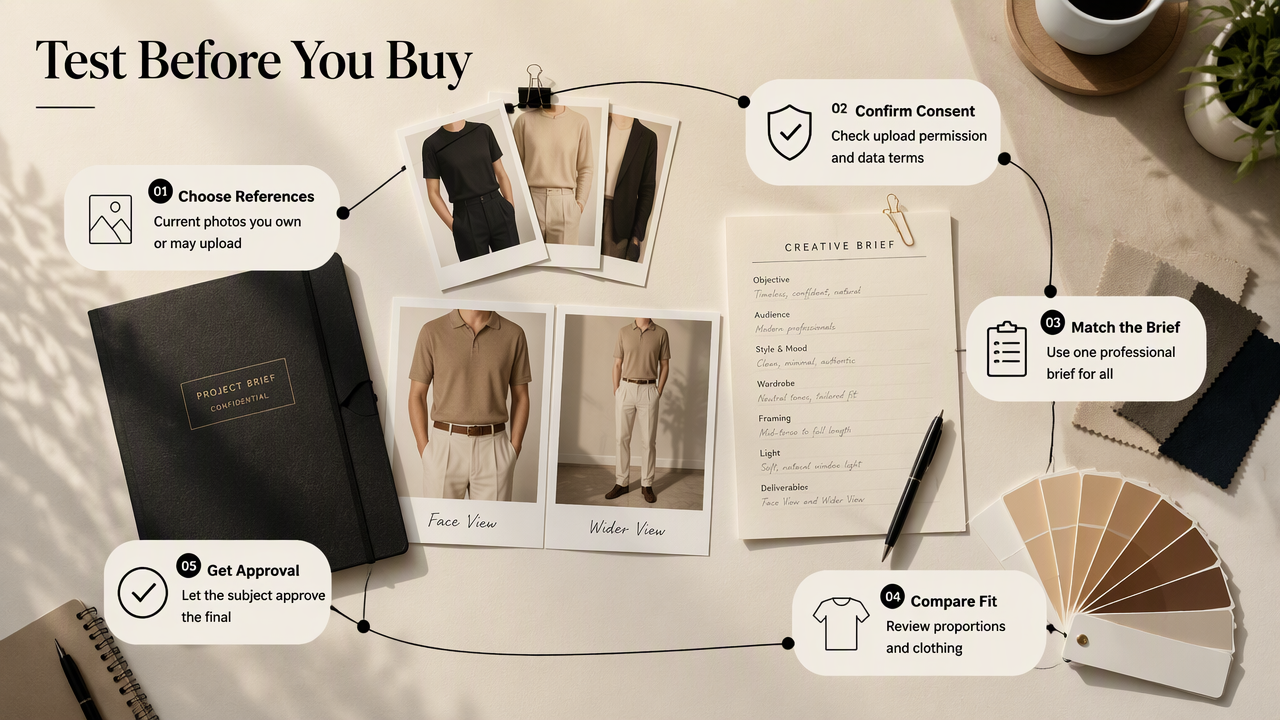
- Choose current reference photographs.
- Confirm upload consent and data terms.
- Use the same professional brief across candidates.
- Review visible proportions and clothing fit.
- Approve the final image with the subject.
Use Consented Examples and Comparable Inputs
Consented examples make testing respectful and keep the evaluation focused on the actual subject. Use photographs the subject owns or has permission to upload, including a clear face view and a wider view when the service accepts them.
Keep clothing, framing, and lighting requests similar across tools. Comparing a close-up in one service with a full-body fashion portrait in another confuses style differences with body fidelity.
A face-only reference set provides limited evidence for assessing a generated torso. Wider portraits need appropriate reference material and closer review.
Check Purchase Terms Before Scaling Up
Purchase terms matter as much as image quality when photographs will represent a business or career.
- Confirm whether professional and commercial use is permitted.
- Review retention, deletion, and model-training terms.
- Check whether revisions or refunds have conditions.
- Inspect the downloadable image at its intended display size.
As products evolve toward 2027, useful improvements would include clearer controls for preserving proportions and more transparent consent and deletion options. Buyers should look for documented capabilities, not assume that a newer model automatically represents every body type better.
FAQ: Plus-Size AI Professional Portraits
The most useful questions concern representation, reference photos, prompting, and the circumstances in which a photographer remains the better choice.
Can AI Headshots Make a Plus-Size Person Look Slimmer?
AI headshots can depict proportions differently from the reference, so body shape should be checked rather than assumed accurate. Review cheek fullness, neck width, shoulders, and visible clothing fit. The available research does not quantify slimming rates for the listed tools, making a subject-approved comparison more useful than a universal claim.
Should a Prompt Include the Term Plus-Size?
A prompt can include plus-size when the subject prefers that description, but the label alone does not specify individual proportions. A clearer instruction asks for natural body shape and accurate clothing fit. Reference photographs and visual review remain necessary because prompt wording does not guarantee that an output will preserve identity.
Is a Headshot Enough to Assess Body Fidelity?
A headshot can support checks of facial shape, neck width, and some shoulder detail, but it cannot establish full-body accuracy. A waist-up portrait permits a broader clothing-fit assessment. Cropped-out areas should remain unassessed, and a convincing face should not be treated as evidence that the generated torso is accurate.
When Is a Professional Photographer the Better Option?
A professional photographer is often the better option when exact wardrobe, physical products, location, or full-body representation must be captured together. Photography records the actual session, while generated portraits require identity review. For high-stakes brand campaigns, direct control over posing and clothing may justify arranging a dedicated shoot.
Conclusion
The best AI photo generator for plus size professional portraits earns approval through faithful representation. A practical next step is to visit looktara.com, prepare a clear portrait brief, and evaluate Looktara with consented references. Start with a small batch, apply the body-fidelity rubric, and publish only images the subject recognizes as an accurate professional representation.
Generated by EarlySEO.com