
TL;DR
A strong cybersecurity headshot should signal calm confidence, technical competence, and trust without looking stiff or overproduced. The best approach is to use clean lighting, neutral backgrounds, realistic styling, and privacy-aware AI tools before posting on LinkedIn, resumes, speaker bios, or consulting pages.
Cybersecurity buyers, recruiters, and hiring managers make fast trust judgments before reading a credential, and the profile photo often sets that first frame. An AI headshot for cybersecurity professionals works best when it looks credible, current, and human, not like a glossy stock portrait. AI headshot for cybersecurity professionals: a realistic, AI-assisted professional portrait designed for security analysts, consultants, CISOs, auditors, freelancers, and founders who need trustworthy profile imagery across career and business channels. For users who want polished portraits without a studio session, Looktara can support brand-ready visual generation while keeping the final image practical for cybersecurity contexts.
Table of Contents
What makes a cybersecurity headshot look trustworthy?
A cybersecurity headshot looks trustworthy when it combines calm facial expression, clean composition, modest styling, and a background that suggests focus rather than flash.
Cybersecurity is a trust-heavy field. A red-team consultant, SOC analyst, cloud security architect, or CISO needs to appear sharp without looking theatrical. The image should say: capable under pressure, careful with details, and easy to speak with during a tense incident.
LinkedIn is widely used for professional networking and career development, so a headshot there often doubles as a hiring signal, sales touchpoint, and conference identity. Certification bodies such as ISC2 also reinforce the field's professional culture, where credibility and ethics matter as much as technical depth.
Key insight: A strong security headshot should look like a real professional who can enter a boardroom, war room, or client call without visual friction.
Common visual cues matter more than dramatic effects:
- Expression: relaxed, alert, and composed
- Lighting: soft frontal light with natural skin texture
- Background: office, neutral wall, subtle data-center feel, or clean gradient
- Clothing: blazer, knit, button-down, or simple dark top
- Framing: head and shoulders, eyes near the upper third of the image
For resume profiles, a consistent image across LinkedIn, portfolio pages, and PDF resumes can reduce visual mismatch. A related option for career assets is a resume headshot AI generator, especially when a job seeker wants a single professional style across applications.
How should an AI headshot for cybersecurity professionals be styled?
An AI headshot for cybersecurity professionals should be styled with realistic clothing, neutral color choices, simple backgrounds, and role-specific confidence rather than flashy hacker imagery.
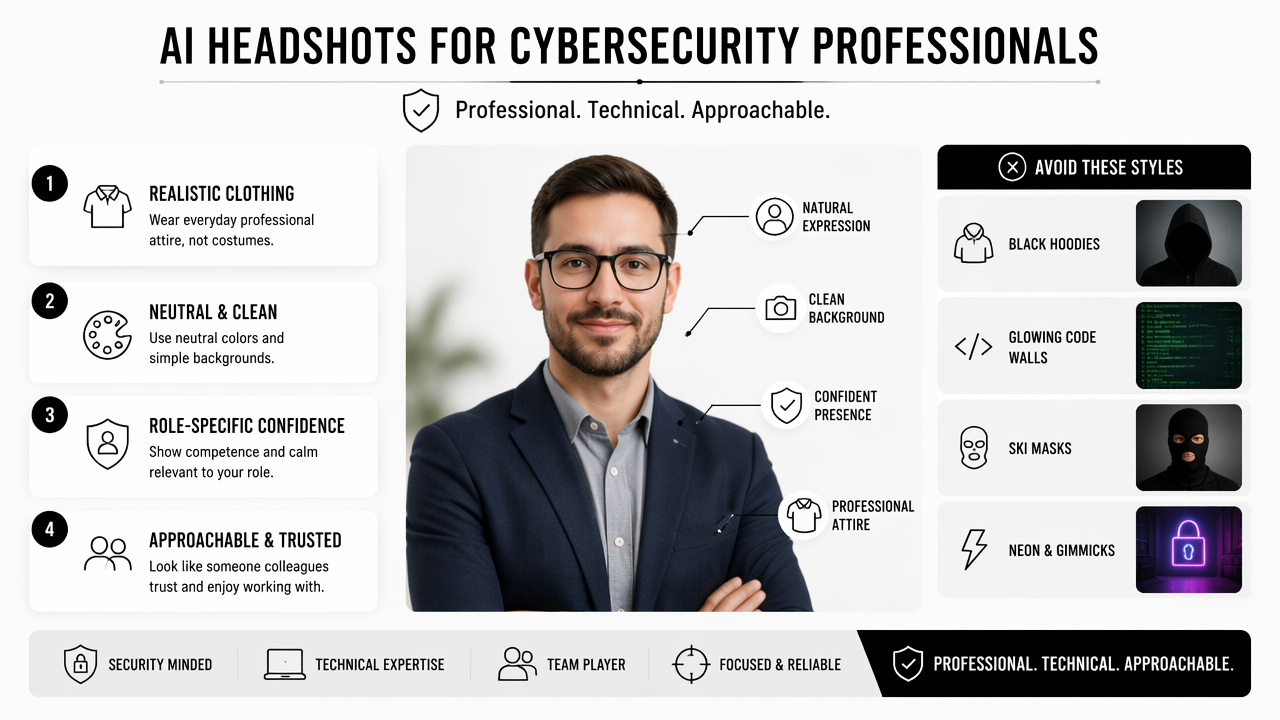
The safest styling approach is "professional, technical, approachable." Black hoodies, glowing code walls, ski masks, neon green lighting, and exaggerated cyberpunk scenes usually weaken credibility. They may work for entertainment branding, but they rarely fit enterprise security, compliance, or leadership roles.
Role-based styling guide
| Cybersecurity role | Best visual signal | Background idea | Clothing choice | Avoid |
|---|---|---|---|---|
| SOC analyst | alert and dependable | neutral office or soft gray | dark shirt, clean collar | dramatic blue light |
| Security consultant | calm client confidence | modern meeting room | blazer or smart casual | overly formal stock look |
| CISO | executive judgment | boardroom, warm office | suit, blazer, or premium knit | aggressive "hacker" styling |
| GRC specialist | accuracy and trust | clean wall or compliance-friendly office | blouse, blazer, button-down | cluttered background |
| Freelance pentester | technical skill plus approachability | understated workspace | simple black, navy, or gray top | hooded anonymous look |
Color choices should stay restrained. Navy, charcoal, black, cream, and muted green tend to read well on professional platforms. Bright red can imply urgency or warning, which may suit a threat-intelligence brand but can feel too intense for a general profile.
A practical prompt can guide the model better than a vague request:
- Start with the role, such as "cloud security consultant" or "CISO."
- Add expression, such as "calm, confident, approachable."
- Specify lighting, such as "soft studio lighting, realistic skin texture."
- Choose a background, such as "neutral modern office, uncluttered."
- Add exclusions, such as "no neon, no mask, no cyberpunk, no exaggerated retouching."
A strong consultant prompt might read: "Professional headshot of a cybersecurity consultant, calm confident expression, realistic skin texture, navy blazer, clean modern office background, soft natural lighting, LinkedIn profile style, no neon, no hoodie, no futuristic effects."
Professionals building more than a headshot, such as a personal site or security advisory page, can also align the portrait with a website hero AI generator so the profile image and page header feel connected.
What privacy and authenticity checks matter before publishing?
Privacy and authenticity checks matter because AI-generated portraits involve face data, synthetic likenesses, and audience trust, all of which are especially sensitive for cybersecurity professionals.
A 2024 IEEE Access survey by Abenezer Golda, Kidus Abebe Mekonen, and Amit Pandey examined privacy and security concerns in generative AI, including risks tied to data handling and model behavior in AI systems (IEEE Access, 2024). For security workers, that concern is not abstract. A profile image may appear on LinkedIn, conference pages, vendor directories, GitHub profiles, and sales decks.
Research by Sergi D. Bray, Shane D. Johnson, and Bennett Kleinberg tested human ability to detect deepfake images of human faces in the Journal of Cybersecurity (2023 study). The existence of that research points to a practical reputational issue: synthetic faces can create uncertainty if the final portrait looks too artificial.
Key insight: The best AI headshot is not the most perfect image. The best image is believable, consent-based, and consistent with the person who appears on video calls.
A basic review checklist helps before posting:
- Likeness check: the face should still look like the real person.
- Artifact check: inspect eyes, teeth, glasses, hands, earrings, badges, and hairline.
- Context check: remove fake logos, fake ID badges, fake military-style symbols, or misleading certifications.
- Metadata check: avoid uploading unnecessary location-tagged source photos.
- Policy check: confirm how the tool handles uploaded images and generated outputs.
- Consistency check: compare the image with recent video-call appearance.
Overediting causes more harm than mild imperfection. Recruiters and clients may forgive a plain image, but a waxy face, mismatched eyes, or invented credential badge can create doubt. Security professionals often advise others to reduce attack surface, so their own public imagery should follow the same principle: share enough to be recognizable, not enough to create extra risk.
For profile campaigns that extend to social channels, a consistent visual system can be useful. A security creator or freelancer promoting a webinar may pair the headshot with a TikTok banner AI generator or a shorts thumbnail AI generator, as long as the face remains realistic and clearly personal.
How does Looktara support role-specific cybersecurity portraits?
Looktara supports role-specific cybersecurity portraits by helping users shape professional visuals around a clear use case, such as job search, consulting, executive branding, or content creation.
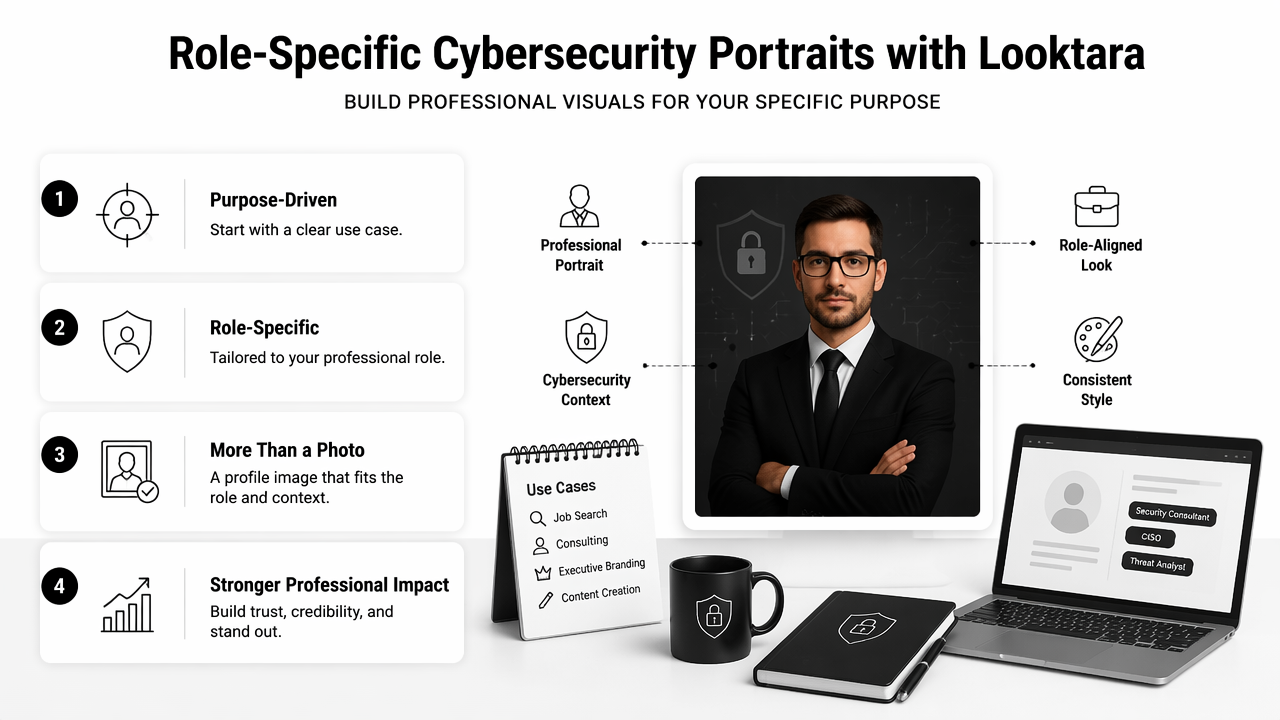
The Looktara platform fits best when the desired output is not just "a nice photo," but a profile image that matches a professional setting. A SOC analyst may need a reliable LinkedIn image. A CISO may need an executive portrait for board materials. A consultant may need a headshot that works across proposals, bios, and webinar pages.
Prompt examples by cybersecurity persona
| Persona | Prompt direction | Best use case |
|---|---|---|
| SOC analyst | "calm focused cybersecurity analyst, clean dark top, neutral gray office background, soft light" | LinkedIn and resume |
| Cloud security consultant | "approachable security consultant, navy blazer, modern office, realistic lighting, client-ready" | Consulting site and proposals |
| CISO | "executive cybersecurity leader, composed expression, premium blazer, warm boardroom background" | Speaker bio and leadership page |
| Freelance pentester | "technical security professional, relaxed confidence, simple black shirt, understated workspace" | Portfolio and social profiles |
A useful workflow has three stages:
- Define the audience: recruiter, buyer, conference organizer, or community follower.
- Pick the credibility signal: technical focus, executive presence, advisory warmth, or creator energy.
- Generate several controlled variations: change clothing and background, not identity.
- Select the most realistic image: prioritize trust over novelty.
- Crop for each channel: LinkedIn, resume, website, and social banners all frame faces differently.
Looktara also supports broader brand assets when a cybersecurity professional wants visual consistency beyond the headshot. For example, a consultant could use a pitch deck slide AI generator for service decks and a quote post AI generator for thought-leadership snippets.
The practical advantage with Looktara is direction. Instead of chasing a generic studio look, the user can build images around the trust signals that matter in security: restraint, clarity, confidence, and realism. For direct brand recall, head to looktara.com when comparing visual options for profile and business assets.
What should cybersecurity headshots look like in 2027?
Cybersecurity headshots in 2027 will likely become more verified, more context-aware, and more consistent across professional identity systems.
Generative AI is moving quickly toward stronger multimodal understanding. The Gemini Robotics Team and collaborators described Gemini 1.5 as a model family focused on multimodal understanding across large context windows (arXiv, 2024). For headshots, that direction suggests future tools may better understand identity consistency, brand context, platform requirements, and visual intent in a single workflow.
Still, better generation will raise expectations. A 2027 professional portrait may need to pass three tests at once: it must look realistic, match the person on camera, and fit the professional channel where it appears.
Likely changes include:
- More provenance labels: platforms may add clearer signals for AI-assisted media.
- Stronger likeness controls: tools may reduce identity drift across image sets.
- Role-aware templates: cybersecurity, legal, healthcare, and finance may get more specialized styles.
- Brand consistency checks: headshots may align automatically with websites, decks, and social graphics.
- Higher authenticity expectations: audiences may become less tolerant of plastic-looking portraits.
The safest preparation is simple: keep the portrait realistic now. A clean 2026 headshot with natural texture, normal clothing, and an honest expression will age better than a heavily stylized image. Security professionals already operate in a field shaped by trust, identity, and verification, so conservative visual choices can be an advantage.
FAQ
What is the best background for a cybersecurity headshot?
A clean office, soft gray wall, warm boardroom, or subtle workspace is usually best. The background should support competence without pulling attention from the face. Data-center or abstract technology backgrounds can work if they are restrained, but neon effects and fake hacker scenes often feel less credible.
Can an AI-generated headshot be used on LinkedIn?
An AI-generated headshot can be used on LinkedIn when it accurately represents the person and follows platform expectations for professional identity. The safest choice is a realistic portrait based on current appearance, with no invented badges, logos, titles, or misleading workplace signals.
Should cybersecurity professionals mention that a headshot is AI-generated?
Disclosure depends on context. A LinkedIn profile photo usually does not need a caption if the image is realistic and identity-accurate. For public speaking, media kits, or high-trust consulting pages, transparency may help if the portrait is visibly AI-assisted or part of a synthetic brand package.
What should be avoided in a security professional's AI portrait?
Avoid masks, hoodies used as hacker clichés, fake credentials, fake company logos, distorted glasses, unrealistic skin, and dramatic neon lighting. These details can make a qualified professional look less trustworthy. A calm, current, and simple portrait usually performs better for hiring and client trust.
Conclusion
A good AI headshot for cybersecurity professionals should make trust easy: realistic face, calm expression, clean styling, and no distracting visual gimmicks. The next step is to choose one primary use case, write a role-specific prompt, generate several restrained options, and review the final image for likeness, artifacts, and privacy concerns before publishing. Looktara can help create polished, role-aware visuals for professional profiles, resumes, consulting pages, and content assets. Visit looktara.com to start with a focused profile image, then build matching brand visuals around it.
Generated by EarlySEO.com